
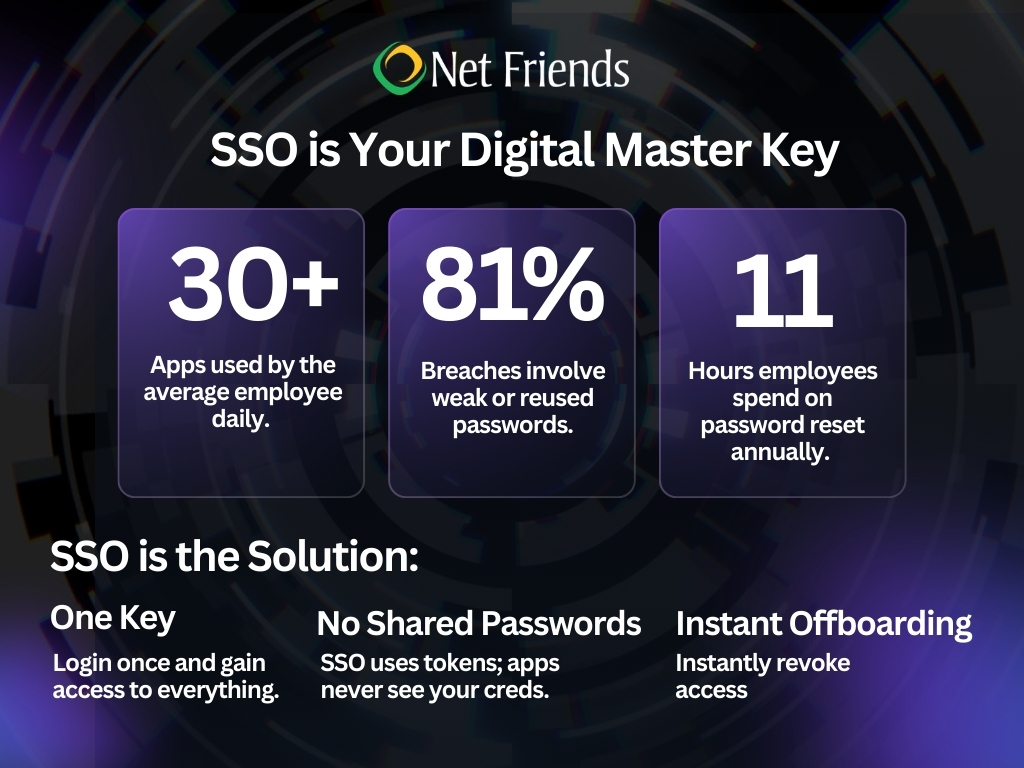
As organizations shift toward Anywhere Operations, the typical employee now manages a daily rotation of 30 to 40 different cloud applications. For a business owner, this creates a large attack surface. If every app has a different password, your security is only as strong as your employee’s weakest, reused, or sticky-noted password.
Single Sign-On (SSO) has evolved from a convenience tool for big enterprises into a mandatory security requirement for businesses of all sizes. Here is how leveraging SSO protects your business, reduces login fatigue, and streamlines your operations.
What is SSO?
Single Sign-On is an identity solution that allows a user to log in once with a single set of credentials to gain access to a silk-road of connected applications.
Think of it as a Global Entry pass for your digital workspace. Instead of every border (app) requiring a different visa, you show your verified pass once, and the doors open.
The Digital Handshake
When an employee signs into an SSO service, the service creates a unique authentication token. This token acts as a temporary digital ID.
The SSO service does not just store passwords. It acts as a trusted intermediary. It confirms the user's identity with your central directory and tells the app: this person is who they say they are.
Your actual passwords are never sent to the individual apps. This means if one of your third-party vendors suffers from a data breach, your primary credentials remain safe.
Why SSO is a Must-Have
1. Reduces Human Error
Human error remains the #1 cause of data breaches. By reducing the number of passwords an employee needs to remember from twenty to one, you eliminate the temptation to use weak, repeatable passwords like Company123!
2. The Power of Instant Offboarding
When an employee leaves your company, how long does it take to revoke their access to every single tool they use? Without SSO, it is a manual, error-prone scavenger hunt. With SSO, you disable their central account, and access to every connected app is severed instantly. This is a critical move for preventing insider threats and maintaining compliance.
3. Enabling Zero Trust
Modern security relies on Zero Trust, the idea that no user should be trusted by default. SSO serves as the foundation for this by allowing you to layer on Conditional Access Policies. For example:
- Allow access to the accounting software only if the user is on a company-managed device.
- Require an extra MFA prompt if the user is logging in from an unrecognized IP address.
4. Efficiency
Research shows employees lose significant time every year just dealing with password resets and login loops. SSO removes this friction, allowing your team to focus on their work rather than IT hurdles.
Security Without Friction
Implementing SSO is about architecting a secure identity perimeter. At Net Friends, we help businesses:
- Audit their current app stack for SSO compatibility.
- Integrate SSO with Multi-Factor Authentication (MFA)
- Monitor unusual login patterns to stop breaches before they happen.
Ready to simplify your security? Book a meeting to learn how we can secure your daily business processes and widen your profit margin through expert identity management.
Follow us on LinkedIn
More Reading:
Zero Cost Security Improvements to Protect Your Business
Boosting Business Success with a Virtual CIO (vCIO)
How Multi-Factor Authentication (MFA) Secures Your Business Operation
Originally Published: June 23, 2022
Updated & Revised: February 19, 2026

Take IT Off Your To-Do List.
Tech holding you back? Losing productivity to downtime?
Discover how we can simplify your tech and free up your time, contact us today.
At Net Friends, we believe in the power of human expertise. While we leverage AI to enhance our content and processes, all blog posts are written and edited by our knowledgeable staff. You can trust you are getting insights directly from our team.