

An IT infrastructure assessment is a systematic review of your entire technology environment, including hardware, software, networks, security, and the procedures your team relies on every day. Its purpose is simple. Find what is working, what is wearing out, and what could put your business at risk, then turn those findings into a clear plan.
Running a business without one is a bit like sailing without a chart. You may enjoy smooth water for a while, but the first storm reveals what your vessel is really made of. Your servers, networks, and security protocols are the hull, masts, and navigation tools of your company, and an assessment confirms that each one is seaworthy before the weather turns.
What Does an IT Infrastructure Assessment Include?
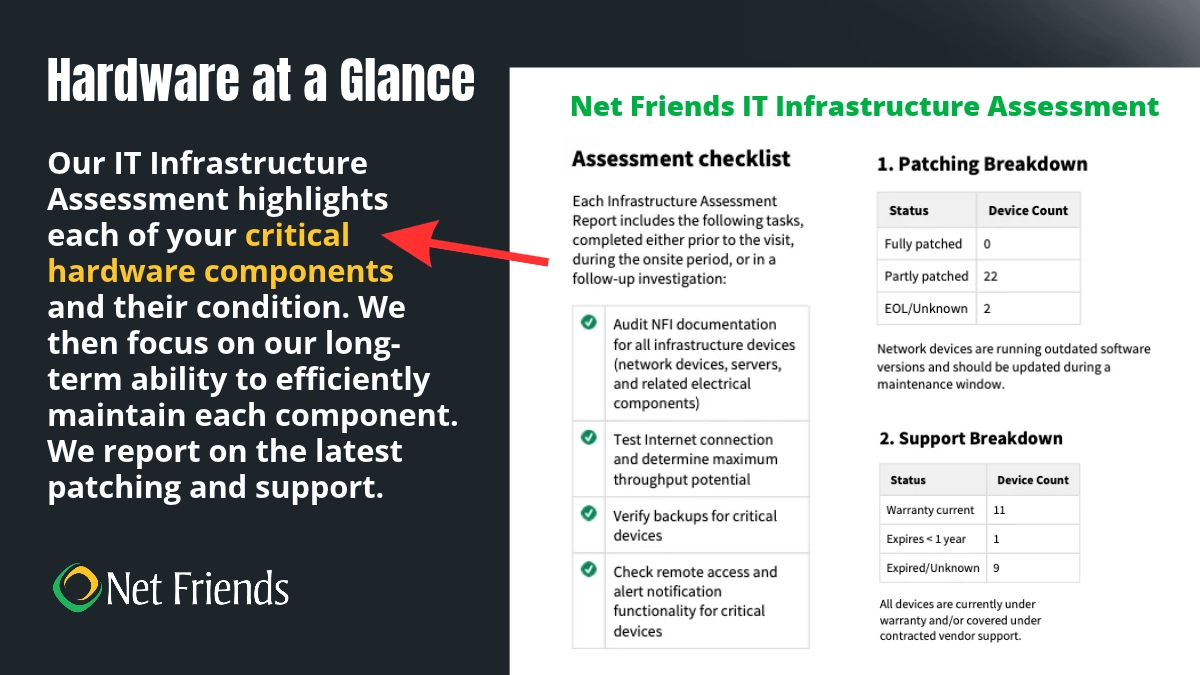
A thorough assessment covers five core areas.
Server Room and Network Rack
Your technician checks physical security, ventilation, and airflow, so equipment stays cool and protected. The network rack gets a close look too, including cable management, wiring, and electrical connections, because tidy racks are easier to maintain and far less likely to cause mystery outages.
Wireless Access Points, Routers, Switches, and Firewalls
Every device is identified and mapped, so traffic flow is clear, and problems are quicker to spot. This stage also covers warranty checks and firmware updates, which close security gaps and keep performance strong. For a deeper look at wireless, see Why Businesses Need Wireless Assessments.
Servers
Your servers are reviewed for performance, application deployment, software updates, operating system management, and storage capacity. The result is a set of recommendations to improve speed, reliability, and room to grow.
Uninterruptible Power Supply
A UPS provides battery backup and surge protection when power flickers or fails. It also delivers clean, steady power, which helps extend the life of connected equipment. An assessment confirms your UPS works as expected, because a backup that fails during an outage is no backup at all.
Backups
Backups protect your data from disasters, hardware failure and human error, and they cut downtime by speeding up recovery. The assessment examines your backup systems, redundancy, data retention, and security, so you are confident that a restore will work when you need it.
What Common Problems Do Assessments Uncover?
Four issues show up repeatedly.
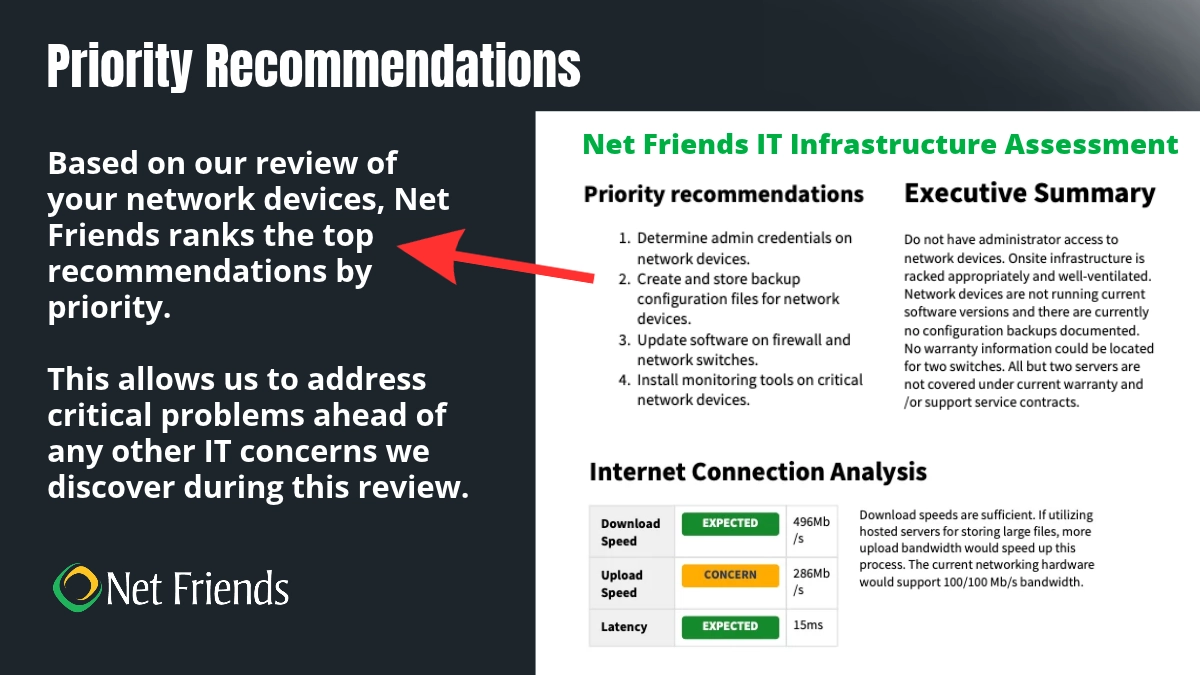
Out of warranty devices. Equipment that slips out of warranty leaves you paying full price for repairs and replacements. Net Friends recommends keeping every managed device under warranty. That way a downed device is a quick fix.
Consumer grade devices. Personal laptops and desktops often turn up in business settings. They lack the durability and processing power of commercial grade equipment.
Aging servers. Expired server warranties are the most frequent finding, and servers running well past their recommended lifespan are not rare. Planning replacements before trouble starts keeps you in control of both the timeline and the cost.
Backup weaknesses. Many businesses have some kind of backup, but design flaws can keep it from working during a real recovery. Sometimes the backup is tied to the primary system so closely that cyberattacks or failures take down both. Backups need to be thorough, consistent, and separated from the systems they protect.
What Are the Warning Signs You Need an Assessment?
Small businesses are squarely in the crosshairs. The 2026 Verizon Data Breach Investigations Report found that small organizations account for 96% of ransomware victims, and that exploited software vulnerabilities have overtaken stolen credentials as the top way attackers get in.
Your technology often waves a flag before trouble strikes. Watch for slow or unreliable networks, frequent crashes, equipment past its warranty, backups nobody has tested, and a team that has outgrown its setup. One sign is reason enough to book a checkup, and several mean the tide is turning.
Why Are IT Infrastructure Assessments Important?
Regular assessments pay off in five ways:
- Risk Management: Finding vulnerabilities early lets you fix them before they become downtime or a security breach.
- Cost Optimization: Spotting redundant systems and underused resources trims waste and frees up budget.
- Strategic Planning: Clear insight guides decisions from adopting new tools to retiring outdated ones.
- Regulatory Compliance: Industries such as legal, healthcare, and insurance face strict IT requirements, and regular reviews help you stay compliant and avoid costly penalties.
- Performance Improvement: Removing bottlenecks means faster systems and more productive people.
How Often Should You Run an IT Infrastructure Assessment?
Most businesses benefit from an assessment at least once a year, and again after any major change, such as an office move, a merger, a new line of business software, or a security incident. Technology ages quickly, so a regular rhythm keeps surprises small and plans current. Net Friends performs an in-depth assessment at the start of every NetVisor Managed IT Services relationship and uses the findings to plan ongoing support.
Chart a Smoother Course with Net Friends
An assessment is far more than an IT health check. It gives your business a proactive way to stay resilient, efficient, and ready for whatever comes next, from new cloud tools to AI.
Ready to find out where your technology really stands? Contact Net Friends today, and we will help you chart the course, with managed IT support ready to keep your voyage safe.
More Reading:
What Are Managed IT Services?
Is Co-Managed IT Right for Your Business?
Does Your MSP Understand You?

Take IT Off Your To-Do List.
Tech holding you back? Losing productivity to downtime?
Discover how we can simplify your tech and free up your time, contact us today.
At Net Friends, we believe in the power of human expertise. While we leverage AI to enhance our content and processes, all blog posts are written and edited by our knowledgeable staff. You can trust you are getting insights directly from our team.